01 Approvals & control · Split-button approval
Allow once is the big button; wider trust sits one click deeper
Visual Studio Code (Copilot agent) · IDE
The insight
A split button can hold a whole permission ladder while making only the narrowest rung the reflex click.
Documented
from the sourceVisible in the image: The dialog names the action ('Install Extension rust-analyzer?') and explains it in one sentence. 'Allow' is the primary button; its arrow opens 'Allow in this Session', 'Allow in this Workspace' and 'Always Allow'. 'Skip' sits beside it.
- You can approve a single use, or grant approval for the session, the workspace, or all future invocations.“approve a single use or grant approval for the session, workspace, or all future invocations” — Tool approval section
- Saved approvals can be reviewed in 'Chat: Manage Tool Approval' and cleared with 'Chat: Reset Tool Confirmations'.“Run Chat: Manage Tool Approval … Run Chat: Reset Tool Confirmations … to clear all saved approvals” — Manage tool approvals / Reset tool confirmations
- A tool can be set so the dialog never offers an auto-approval option.“The confirmation dialog then does not offer an auto-approval option for that tool.” — Prevent tools from being auto-approved
Our read
design interpretationWhy it works
A distracted click grants the least. The broader options don't disappear; they move behind a deliberate second gesture and read top to bottom as an ordered ladder.
Trade-off
Once the menu is open, 'Always Allow' looks the same as 'Allow in this Session'. The broadest grant sits one row from the mildest, with nothing to set it apart.
Steal this
- Give the broadest option a different treatment (a warning, separator or confirmation) than the mild ones.
- Pair every saved grant with one place to review and revoke it.
- Let teams pin specific tools to 'always ask'.
Source
VS Code docs: Manage approvals and permissions
2026-10-15 · Accessed; docs page is undated
More entries
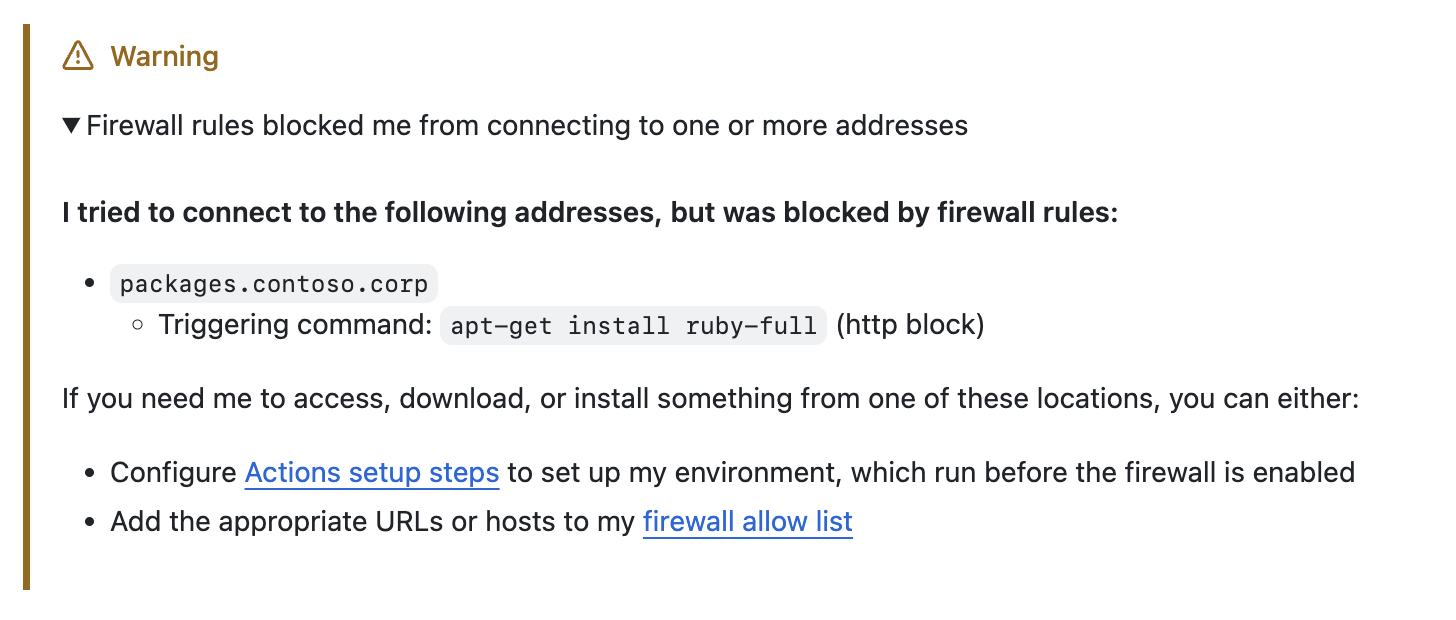
When the agent is blocked, it says what, why, and how to unblock it
Report a blocked action as a receipt (what was blocked, which command, the two narrowest ways forward) so a security control reads as a next step, not a failure.
Blocked-action explanation
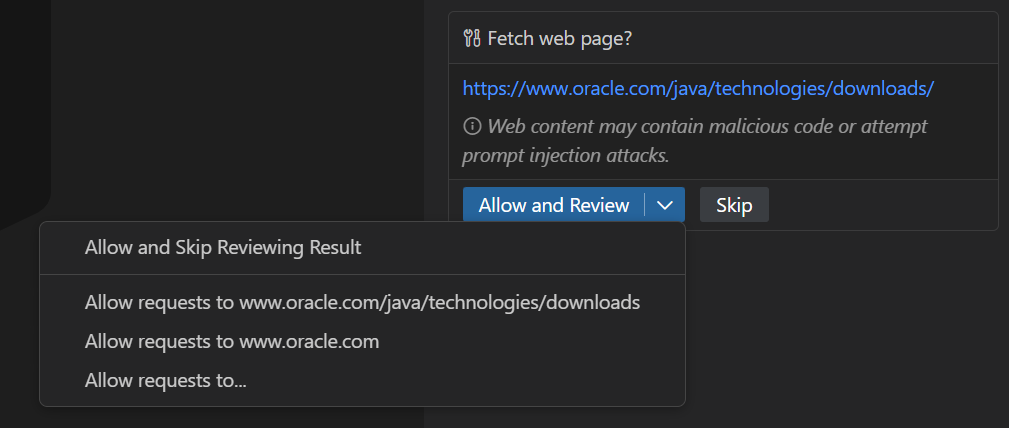
Two approvals for one fetch: going out, and coming back in
Split consent where risk changes direction: contacting a site risks data going out; using its reply risks instructions coming in.
Split request/response approval
Agent wants to edit 2 files
src/components/Button.tsx
Ask for permission by place, not by time
Scoping trust to where a change lands, not how long trust lasts, turns a recurring interruption into a single, legible decision.
Pre-execution approval